Original, OEM and Service Pack describe where a replacement display is said to come from and how it reached the seller. They do not name the panel technology, and they do not guarantee the same quality from one supplier to the next. In the parts trade, Service Pack usually means the phone maker's own service part, supplied with the manufacturer's part number. Sellers use OEM and Original in different ways, so always ask what they mean. Base the final choice on the exact model, package contents, panel technology, supported features, warranty terms and a test before installation.
What is the difference between Original, OEM and Service Pack?
All three labels answer the question "where does this module come from, and who made it?" Panel technology (OLED, LCD, In-Cell) and condition are listed separately. Two listings with the same label can therefore describe different modules, while modules with different labels sometimes have similar specifications.
| Label | What it usually means | What the label alone does not guarantee | What to ask the seller |
|---|
| Service Pack | A service part from the phone manufacturer in factory service packaging, with the manufacturer's part number | That this particular box has not been opened and that the contents match the label | Part number, match with the full model code, package contents, warranty |
| OEM | A module the supplier links to the maker of the original components; the exact meaning depends on the supplier | That the module was made or assembled at the same plant as the factory part | What OEM means for this seller: panel, touch layer, glass, frame, assembly |
| Original | The broadest label, from a new factory module to an original panel combined with other components | That the whole module is new and factory-made | Which parts are original, whether it has been refurbished, whether it is Original PRC or another variant |
The full range of commercial grades, including REF, High Copy, OLED and In-Cell, is covered in Phone Screen Quality Grades Explained. This article deals only with the three origin labels.
What is a Service Pack display?
We found no public standard or official definition of the term Service Pack from smartphone manufacturers. In the parts trade, it refers to modules the phone maker produces for service repairs, and these parts carry the manufacturer's part number. Samsung service parts, for example, use numbers in the GH82-xxxxx format: a display module for the Galaxy S23 is sold as "Samsung SVC LCD Assembly Octa Kit" with part number GH82-30749A, and the specification lists Samsung as the manufacturer. In the US, Samsung also offers genuine parts, tools and repair manuals through its Self-Repair program.
Factory packaging makes checking easier, but it does not prove what is inside. Compare the part number on the label with the phone's model code, inspect the packaging and the module itself, and buy from a supplier who stands behind the part with a warranty and clear return terms.
What does OEM mean in display listings?
OEM stands for original equipment manufacturer: a company that makes parts which another company sells under its own brand. Even in general use, the term is ambiguous and has several common meanings. In the display trade it is looser still. One supplier calls a module OEM because it comes from the maker of the factory components, another uses OEM for a module assembled outside the phone maker's service channel, and a third means an "OEM-grade" part with no specific origin.
Labels are also combined. The GSM-Forsage catalog, for example, uses the wording "Original (OEM)". So instead of asking "is it OEM?", ask "which parts of this module were made by the original component manufacturer, and who assembled it?"
Why does the Original label always need clarifying?
Original can mean a new factory module, a module with an original panel and replaced glass or frame, or variants such as Original PRC. The label says nothing about whether the part is new or refurbished. Ask which parts of the module are original, whether it has been refurbished and what warranty the seller provides.
How do you compare display listings for the same model?
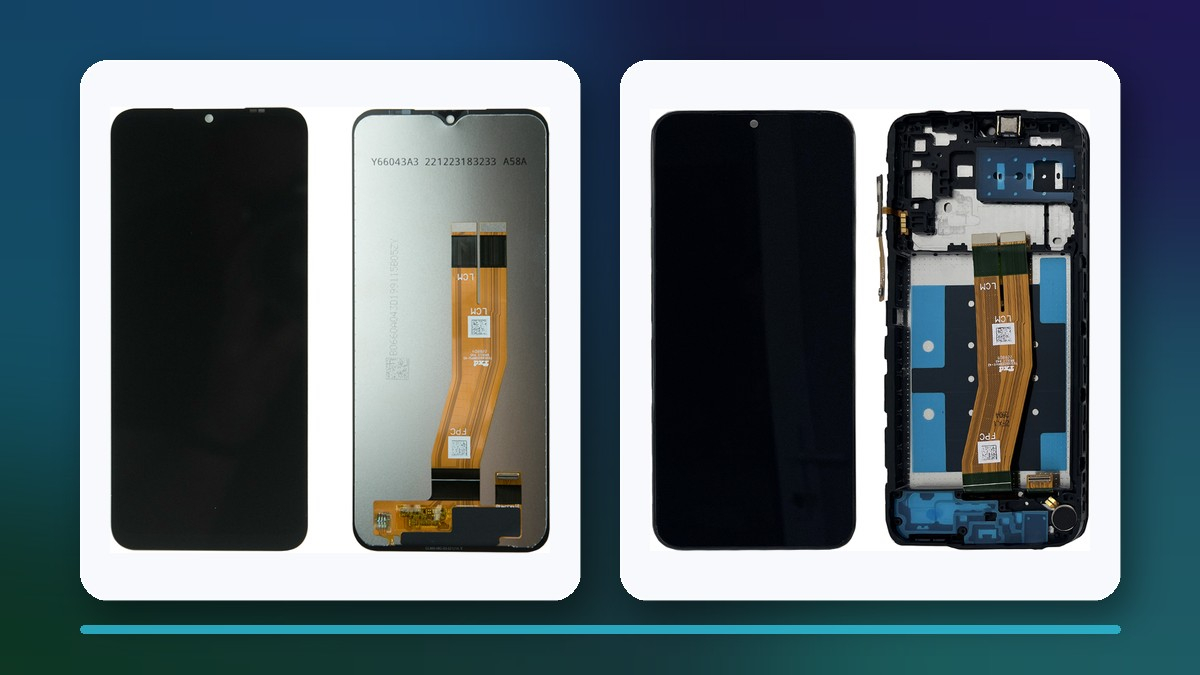
The difference is easiest to see with an example. For the Samsung Galaxy A14 (SM-A145) and Galaxy A04s (SM-A047), the GSM-Forsage catalog has two listings each: one labelled Service Pack, the other "complete with frame ... Original (OEM)". The names alone show that the OEM listings explicitly mention a frame, while the Service Pack names do not. Check the product description to confirm whether a frame is included: it affects how much work the repair takes, whether re-gluing is needed and how risky the installation is.
Compare listings on the same criteria: full model code, origin label, panel technology, package contents, supported features, warranty and whether you can test the part before gluing. Prices and stock in the ProductChip widgets update automatically, so we do not quote them here.
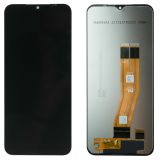 Display Samsung Galaxy A14 SM-A145 (Service Pack) Black15,06 $›
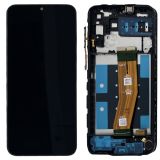 Display Samsung Galaxy A14 SM-A145 complete with frame Black Original (OEM)16,57 $›
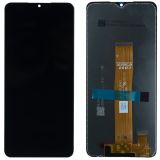 Display Samsung Galaxy A04S SM-A047 (Service Pack) Black14,36 $›
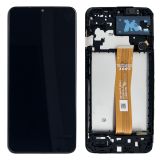 Display Samsung Galaxy A04S SM-A047 complete with frame Black Original (OEM)out of stock›
How can you check a display's origin on an iPhone?
On iPhone 11 and later, except iPhone SE (2nd and 3rd generation), a Parts and Service History section appears under Settings > General > About once the phone has been repaired. The display entry can show one of these messages:
- Genuine - the repair used a genuine Apple part and Apple processes;
- Unknown - the part is not genuine, is not working as expected, has not been verified and linked to the phone after the repair, or has been modified;
- Used - on iPhone 15 and later with iOS 18 or later: the genuine display was previously installed in another iPhone;
- Finish Repair - a new genuine display has been installed, but the repair has not yet been completed with Repair Assistant.
According to Apple, these messages do not stop you from using the phone, but an Unknown part might affect the device's trade-in value. Before an iPhone repair, agree with the customer which message they will see after the replacement and record it on the work order.
What should you ask the seller before ordering a display?
- Does the module match the full model code, not just the phone's marketing name?
- What does Original, OEM or Service Pack mean for this particular supplier?
- For Service Pack: which manufacturer part number is printed on the packaging?
- What panel technology is it, and does it match the factory one?
- What is included: frame, touch layer, small components, adhesive?
- Which features are supported: refresh rate, auto-brightness, proximity sensor, fingerprint sensor?
- What warranty and return terms apply before and after the protective films are removed?
When the part arrives, connect it and check the image and touch response before gluing it in. For a pre-order checklist that covers other parts as well, see How to choose smartphone repair parts before ordering.
How do you explain the difference to a customer?
Show the customer two or three compatible options and compare them on the same points: origin, package contents, technology, features, warranty and price. Do not describe a module as "the same as the factory one" unless a part number, supplier documentation or the phone's own check confirms it. Explaining the trade-off honestly before the repair means fewer disputes after the phone is handed back.
Sources
The ProductChip widgets in this article show examples of catalog labels, not a ranking from best to worst. Check current compatibility, package contents, price and availability on the product page before ordering.

 UA
 RO




The information below is required for social login
Sign In
Create New Account