Choose an iPhone replacement screen in this order: exact model, factory panel technology, repair goal, then the specific module. Original, OLED, In-Cell and copy describe different things, so they cannot be arranged into one reliable quality ladder. If official calibration and a clear Parts and Service History matter most, use a genuine Apple display through a supported repair route. For a factory-OLED phone, a model-specific aftermarket OLED can preserve the basic panel type, while an In-Cell/LCD module is a budget technology change. A listing that says only "copy" needs more detail before it is useful.
Start with the exact iPhone model and its factory screen
The marketing name is not enough. Confirm the full model and check Apple's technical specifications for the display fitted at the factory. The base iPhone 11, for example, uses a Liquid Retina HD LCD with IPS, while the iPhone 11 Pro uses a Super Retina XDR OLED display. iPhone SE (3rd generation) is another factory-LCD example.
This first check prevents a common mistake: treating OLED as an automatic upgrade for every iPhone. Compare an OLED conversion for a factory-LCD model with the original design and the module's documented behavior. With a factory-OLED model, In-Cell usually means an LCD-based replacement in the parts trade, so the repair changes the panel technology.
Before ordering, also verify revision, connector and package details. The broader smartphone repair parts checklist explains how to check compatibility beyond the model name.
Original, OLED, In-Cell and copy answer different questions
The word Original is a claim about origin or composition. OLED and LCD/In-Cell describe panel technology or construction. Copy is a loose commercial label that may cover modules of different technology and quality. The terms OR, REF, GX and H/C in catalogue names are also supplier labels; without documentation they do not prove a manufacturer, brightness level, touch response or service life.
A shop label "Original" is not the same as the Genuine status shown by iOS after an eligible repair and calibration. For a fuller explanation of origin and supply-channel terms, see Original, OEM or Service Pack. The wider catalogue vocabulary is covered in Phone Screen Quality Grades Explained.
Decision table: which option fits the repair?
| Your priority | Option to consider | What to confirm | Main limitation |
|---|
| Official repair path, calibration and transparent history | Genuine Apple display through a supported route | Model and regional support, completed Repair Assistant process where applicable | Support depends on model, part, region and current iOS |
| Factory-OLED iPhone with a controlled budget | Model-specific aftermarket OLED | Exact series, touch and display test, supported functions, warranty and return rules | The OLED label alone proves none of those details |
| Older or lower-value factory-OLED iPhone with a strict budget | Compatible In-Cell/LCD module | Customer accepts a change from the factory display technology; module passes testing | It should not be described as equivalent to the factory OLED |
| Factory-LCD iPhone | Compatible LCD/In-Cell option matching the model | Actual module specifications and behavior; compare any OLED conversion separately | "OLED" does not automatically mean a better repair |
| Listing says only "copy" | Pause the choice | Panel type, manufacturer or series, contents, function support, warranty and test conditions | Copy is not a standardized performance grade |
A practical iPhone 11 Pro comparison
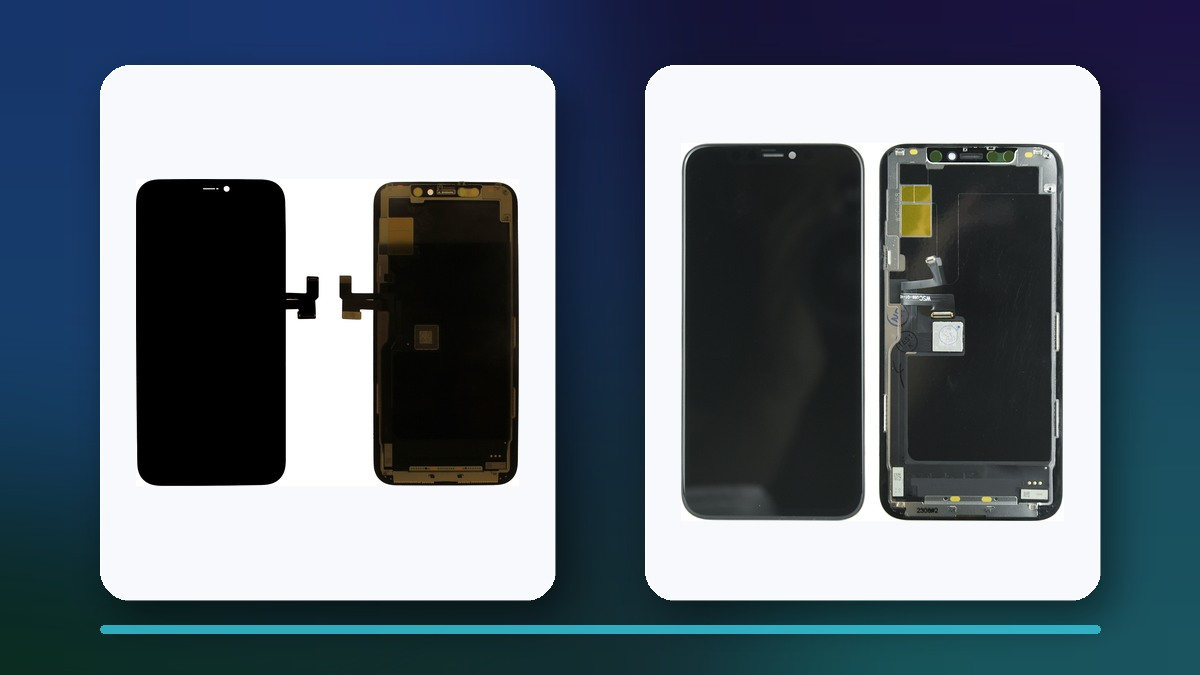
iPhone 11 Pro left the factory with an OLED display, which makes it a useful model for comparing catalogue choices. The four verified listings below represent an OR option, an original refurbished option, an aftermarket OLED option and an H/C In-Cell option. Their names establish only the catalogue labels shown. They do not support a performance ranking.
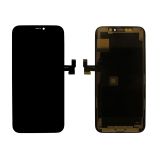 Display iPhone 11 Pro (5.8 ") Black OR69,89 $›
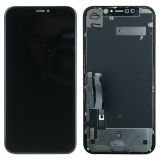 Display iPhone 11 Pro (5.8") Black OR (Refurbished)57,99 $›
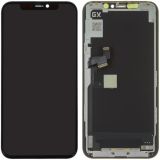 Display iPhone 11 Pro (5.8 ") Black OLED (GX)31,50 $›
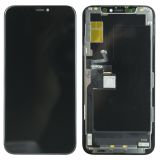 Display iPhone 11 Pro (5.8") Black H/C INCELL24,36 $›
Ask what OR, REF, GX and H/C mean for these exact modules, what is included, which functions the supplier supports and how the part may be tested before final fitting. Do not infer brightness, power use, colour accuracy or durability from the short name.
What can iOS show after the repair?
With iOS 15.2 or later, Parts and Service History appears under Settings > General > About when the phone has relevant repair history. Apple's current table shows display history for iPhone 11 models and iPhone 12 models and later. The set of visible components still depends on the model.
- Genuine means Apple verified a genuine part and the applicable calibration process was completed.
- Used means a genuine part had previously been installed in another iPhone. Support for reused-part calibration depends on the model and part.
- Unknown has several possible causes. The part may be non-genuine, faulty, modified, not linked after repair or impossible for the phone to verify.
- Finish Repair means the repair still needs completion through Repair Assistant.
An Unknown display message does not stop normal use of the iPhone, although Apple says it may affect trade-in value. It is not conclusive proof that the screen is counterfeit.
Do not promise True Tone, Face ID, battery life or water resistance
Apple warns that a non-genuine display may have touch, colour, brightness, ambient-light-sensor, True Tone or unintended battery-drain issues. These are possible outcomes, not a guaranteed list for every aftermarket screen. There is no safe universal rule that any aftermarket OLED always uses less power than an In-Cell module.
Face ID should be tested separately because Apple treats the display and front camera as separate repair components. The panel label alone cannot predict the result. Water resistance also needs careful wording: replacement adhesive and correct pressing are part of the repair procedure, but they do not justify a promise that the original factory rating has been restored.
Checklist before final installation
- Confirm the exact iPhone model and factory LCD or OLED technology.
- Match the connector, revision, frame configuration and other package details.
- Inspect the module and flex cables before removing protective films.
- Connect the screen without final gluing and check the full image for lines, spots and uneven areas.
- Test touch response across the grid, including edges, keyboard typing and multi-touch.
- Compare brightness, white balance and colour at several levels without assuming the catalogue class predicts the result.
- Check auto-brightness, proximity behavior and True Tone if the feature is present.
- Run a separate Face ID test and confirm that related assemblies were handled correctly.
- Check Settings > General > About for Parts and Service History on supported models.
- Complete supported calibration, then recheck the display before sealing the phone.
Record the result and the agreed compromise before handover. If a module fails a test, stop before adhesive or protective films make a return more difficult.
Questions to ask the seller
- Which panel technology does this exact module use?
- Ask how the seller defines OR, REF, GX, H/C or copy in this listing.
- Is the module new, refurbished or built with reused components?
- Which functions are supported, and what must the repairer transfer or calibrate?
- Can the screen be connected and tested before final installation?
- What are the warranty and return conditions after films or seals are removed?
Final recommendation
Choose the outcome, not the loudest label. Use a genuine Apple display when official calibration and repair-history transparency are the priority. On a factory-OLED phone, consider a documented and testable aftermarket OLED when the budget is lower. Use In-Cell/LCD as an openly stated budget compromise where changing the factory technology is acceptable. If the listing gives only "copy", request the missing details before ordering.
Sources
The ProductChip modules are catalogue examples for one model. They are not a best-to-worst ranking and do not support claims about current price or availability.

 UA
 RO




The information below is required for social login
Sign In
Create New Account