Useful information
How to choose the best budget smartphone? — a practical article with explanations and recommendations for technicians, service centers, and users. It highlights the main points to consider when choosing, using, or repairing devices.
We first published this guide in September 2022, when rising prices pushed many buyers towards cheaper phones, and it ended with three Xiaomi models from that year. Those models have since been replaced, so in October 2026 we rewrote the article around criteria that do not go out of date: how long the phone will get updates, how its battery holds up, and how easy and cheap it is to repair. Specific models and prices change every few months; these checks stay the same.
Start with how you will use the phone
A budget phone is always a compromise, so decide first what you cannot give up. Someone who mostly calls, messages and uses banking apps needs reliable software and a good battery. Someone who plays games needs a stronger chipset and enough RAM. Someone who films a lot should look at the main camera and storage before anything else. Write down two or three priorities and accept compromises on the rest.
Check how long the phone will get updates
This is the most underrated spec in the budget segment. Without security updates, banking and payment apps may eventually stop working, and the phone becomes less safe to use online. Look for the manufacturer's official update policy: the number of Android version upgrades and the number of years of security patches.
Policies have improved a lot. In 2024, for example, Samsung announced six OS upgrades and six years of security updates for the inexpensive Galaxy A16 5G. In the European Union, rules that have applied since 20 June 2025 require manufacturers to provide operating system updates for at least five years after the last unit of a model is sold. Count from today, not from the launch date: a model that came out two years ago has fewer years of support left.
Memory and storage
RAM decides how many apps stay open at once and how smooth the phone feels after a couple of years of updates. Storage fills up faster than people expect with photos, videos and messenger files. Choose the larger storage option if the price difference is small, and check whether the phone has a microSD slot if you keep a lot of media.
Phones with very little RAM often run Android (Go edition), a lighter version of Android that Google designed for entry-level devices. It works well for basic tasks, but some apps run in lighter versions, so check whether this suits you before buying.
Battery life and charging
Most current budget phones have batteries of around 5000 mAh, so capacity alone no longer separates them. What matters more is how efficient the chipset and screen are (check independent battery tests) and how well the battery ages. EU rules require phones sold there since June 2025 to keep at least 80% of their capacity after 800 full charge cycles, and the energy label shows the tested battery endurance.
Fast charging is convenient, but it is not a reason to pick one phone over another by itself. We explained what fast charging does and does not do to battery life in our article on whether fast charging damages your phone battery. Sooner or later every battery wears out; the signs that it is time for a new one are in our guide on when a phone battery should be replaced.
Display
Budget phones use either LCD (IPS) or OLED (AMOLED) screens. OLED gives deeper blacks and usually saves power with dark themes; a good IPS panel is perfectly comfortable for everyday use. A resolution of 1080p (FHD+) looks sharper than 720p (HD+) on screens above 6.5 inches. A higher refresh rate (90 or 120 Hz) makes scrolling smoother. Brightness matters if you often use the phone outdoors.
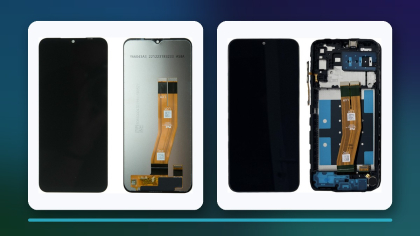
Keep in mind that the screen is the part most often replaced after a drop. An OLED replacement usually costs more than an LCD one, which brings us to repairability.
Repairability and spare parts
A cheap phone that cannot be repaired cheaply is not really cheap. Before buying, check three things:
- Spare parts. Popular models from large brands have screens and batteries in stock at many repair shops and suppliers for years. Rare models may wait weeks for a part, or never get one.
- Repairability score. Phones sold in the EU since June 2025 carry an energy label with a repairability class from A (most repairable) to E (least repairable). Manufacturers there must also supply key spare parts for at least seven years after a model stops being sold.
- Repair cost. Ask a local repair shop what a screen and a battery replacement cost for the model you are considering. Compare this with the price of the phone.
For example, batteries for popular budget models such as the Galaxy A15 5G and the Redmi Note 13 are widely available:
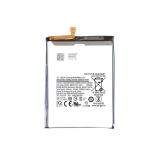 Battery EB-BA156ABY (5000mAh) for Samsung Galaxy A15 5G SM-A15612,96 $›
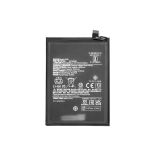 Battery BN5P (5000mAh) for Xiaomi Redmi Note 13 4G / Note 13 5G13,05 $›
If repairability is a priority, our article on repairable smartphones explains what to look for in more detail.
Connectivity and camera
Check the essentials in the spec sheet: support for the 4G and 5G bands used by your operator, NFC if you pay with your phone, dual SIM if you need it, Wi-Fi 5 or newer, and a USB-C port. A 5G modem is useful only if your operator offers 5G coverage where you live.
For the camera, ignore the megapixel count on the box. Extra 2 MP macro and depth sensors rarely improve photos. Look at sample photos and videos in independent reviews, especially in low light, and check whether the main camera has optical image stabilisation.
Quick checklist before buying
| Check | What to look for |
|---|
| Updates | Official policy, years of security patches left from today |
| Memory | Enough RAM for your apps; storage with spare room or a microSD slot |
| Battery | Independent battery test results, not only capacity in mAh |
| Display | Type, resolution, refresh rate and outdoor brightness |
| Repair | Parts availability, repairability class (EU label), local repair prices |
| Connectivity | Your operator's bands, NFC, dual SIM, USB-C |
| Camera | Real sample photos, not megapixels |
If your current phone does what you need and only the battery or screen has worn out, a repair is often the cheaper option. A new battery or screen can keep a phone going for a few more years, as long as it still gets security updates.

 UA
 RO





The information below is required for social login
Sign In
Create New Account