Useful information
Accounting system for the service center: why is it needed and how to choose? — a practical article with explanations and recommendations for technicians, service centers, and users. It highlights the main points to consider when choosing, using, or repairing devices.
Repair shop management software ties every job into one record: the ticket, the device, the customer, the parts used, the technician's work, the payment and any warranty return. A good choice does not start from a list of popular programs. It starts from how your shop actually works and from a trial run on real data before you pay for a subscription.
This article first appeared in June 2023 as a short list of programs. We updated it in October 2026: the core idea stays, the facts that changed since then are corrected, and there is now a test plan you can run with any vendor.
Why a notebook and a spreadsheet stop working
With a few jobs a day, a notebook or a spreadsheet feels good enough. Trouble starts as volume grows. Nobody remembers who changed the date promised to the customer, which part was set aside for which phone, why the shelf count does not match the file, or whether a phone returned under warranty has been in before. Every answer means asking a colleague or digging through chat messages.
Software will not fix these problems on its own, but it makes them visible. Each change gets a timestamp and an author, and stock moves only through a recorded transaction. Reports become meaningful only when the basic data goes in correctly and on time.
What the software has to cover
| Area | What gets recorded | What to check in a trial |
|---|
| Check-in | Ticket number, customer, model, serial number or IMEI, accessories, visible condition, reported fault | Photos and the customer's consent stay attached to the same ticket |
| Repair | Diagnosis, estimate, customer approval, technician, status, due date | You can see who changed the status or the price, and when |
| Parts inventory | Internal code, supplier, batch or receiving date, shelf location, reservation, consumption | Stock goes down only through a document, never through a manual correction |
| Payments | Labor, parts, discounts, payment, refund | Totals can be reconciled with your tax documents |
| Warranty | Work or part supplied, warranty period, reason for the return, decision | A return links automatically to the original repair |
| Reports | Average turnaround time, comebacks, scrapped parts, stock turnover | Each metric has a clear definition and can be traced back to records |
If you also sell accessories such as cases or screen protectors, keep retail stock separate from repair parts. Otherwise a protector fitted during a repair and one sold over the counter end up in the same number, and you can no longer tell what actually earns money.
Map the path of a repair first
- Write down every step from check-in to pickup, the way your shop does it today.
- Mark the points where the customer has to approve something: the estimate, a new due date, a part of a different quality grade.
- Decide when a part is reserved, when it is issued to the technician, when it goes back on the shelf and when it is written off.
- Name the person responsible for each status change and each money transaction.
- List the documents, customer messages and reports you cannot work without.
With that list in hand, a vendor demo turns into a test instead of a sales pitch. Keeping customers informed during a repair has its own rules, covered in our guide on how repair technicians find and keep customers. Here we stick to record keeping.
Parts, labels and storage locations
A part name alone is not enough for accurate records. For each item it is worth storing the internal or supplier code, compatible models, quality grade, receiving date, quantity, the result of the incoming check and the shelf location code. Parts reserved for a repair should show up separately from free stock so that nobody sells them or fits them to another device.
The label on the bin and the record in the software should carry the same identifier. If the software you pick prints barcode labels for parts and for incoming devices, a label printer speeds up both check-in and stocktaking. Before buying one, check the software documentation for supported printers and label formats, then compare that with the details on the product page.
 Xprinter XP-470B label printerout of stock›
Small parts such as screws, connectors and buttons fit well in a box with compartments, as long as each compartment has its own location code in the software. A new hire can then find a part without asking anyone. We wrote separately about laying out tools and fixtures on the bench in the article on devices that make repair work easier.
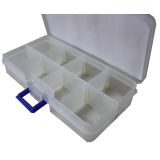 Small box for small things (8 sections)1,57 $›
User permissions and customer data
The front desk, the technician, the stock keeper and the owner need different permissions. Each user should see and change only what their job requires. During the trial, check the change log, two-factor sign-in, the list of active sessions, how quickly you can lock an account when someone leaves, and whether you can export the full history of a ticket.
Names, phone numbers, device serials and photos all end up in the system, and in most countries that counts as personal data. Decide why you keep it, for how long, who can access it and how it gets deleted. Avoid writing the customer's passcode or unlock pattern on the repair ticket. If testing requires an unlocked device, do it with the customer present. Common questions about what happens to the data on a phone during repair are answered in our article on myths about smartphone repair.
Invoicing and local requirements
Ask every vendor how the software handles the invoicing and fiscal rules in your country. Romania is a good example of why this matters: its RO e-Factura system became mandatory for invoices between businesses on 1 January 2024, and from 1 January 2025 the requirement was extended, with some exceptions, to invoices issued to consumers. Find out whether the program submits invoices directly, through an integration, or only exports files that you upload yourself. Get the answer in writing. Your accountant, not the software, decides how your business meets its tax obligations.
Examples of repair shop software
The original version of this article named three programs. Here is where they stand in October 2026, based on their official websites:
- RO App (formerly RemOnline). In November 2025, RemOnline rebranded as RO App. It is a cloud platform for service businesses and repair shops, covering work orders, scheduling, customer communication, inventory and payments. The same company also develops Orderry, a platform for small service businesses.
- Gincore. Presents itself as a record-keeping system for shops, service centers and warehouses: orders, stock with storage locations, settlements with partners, payroll, a log of employee actions and barcode scanner support. It runs in the browser.
- Torgsoft. A Ukrainian accounting program that grew out of retail, available with a local license or in the cloud, with a demo version. It has a separate "Repair and warranty service" option for repair requests, work stages, materials used and payments.
This is not a ranking, and we have not tested these programs ourselves. Features, prices and availability in your country change, so confirm them with the vendor during the trial period.
How to test the software before you pay
- Create a test ticket with the device condition, photos and the accessories you received.
- Add a diagnosis, an estimate approved by the customer and a change of due date.
- Reserve a part, issue it to the technician and return it to the shelf unused.
- Record a payment, a partial refund and a warranty return on the same job.
- Log in as a technician and see whether that account can view or edit prices when it should not.
- Export tickets, stock and the change log, then open the files on another computer.
- Ask the vendor to show you how data is restored from a backup.
If any step needs a separate spreadsheet or a paper note, the program does not fit your process yet. Either it can be configured to fit, or you keep looking.
Questions to ask the vendor
| Criterion | What to ask | Acceptable answer |
|---|
| Process fit | Can I configure statuses, roles and documents? | The test ticket goes from start to finish without workarounds |
| Migration | How do I import customers, stock and open repairs? | A test import keeps the codes and the links between records |
| Export | What data and attachments can I take with me if I leave? | The files open and keep the link between ticket, customer and parts |
| Security | What roles, logs, two-factor sign-in and backups are there? | The critical scenarios were checked on test accounts |
| Support | Through which channels, during which hours and in which language do you respond? | The terms are written into the contract or the plan description |
| Total cost | What do I pay for users, modules, integrations, training and migration? | The one-year budget includes every required component |
Switching without shutting the shop
Start with one repair type or one location. Move over open tickets, current stock and the part codes you use most, let the team practice on test tickets, and set a fixed cutover date. Keep the period of running old and new systems side by side short, and make one named person responsible for reconciling stock. If nobody owns that, the two sets of numbers drift apart within days.
After the first month, look at three numbers: how many tickets were entered incomplete, how many stock discrepancies turned up at the count, and the average time from check-in to pickup. They show whether people are using the software the way you set it up.
Bottom line
Judge repair shop software by how a real job moves through it, not by the length of its feature list. Map your process, test it on sample data, check exports, permissions and invoicing, then switch over step by step. A system chosen this way shows you where time, parts and money leak out, so decisions about the shop rest on records instead of memory.

 UA
 RO







The information below is required for social login
Sign In
Create New Account