Information
Separator: functions, principle of operation and options — an informational article for technicians, service centers, and users, covering practical details related to choosing, using, and repairing electronics.
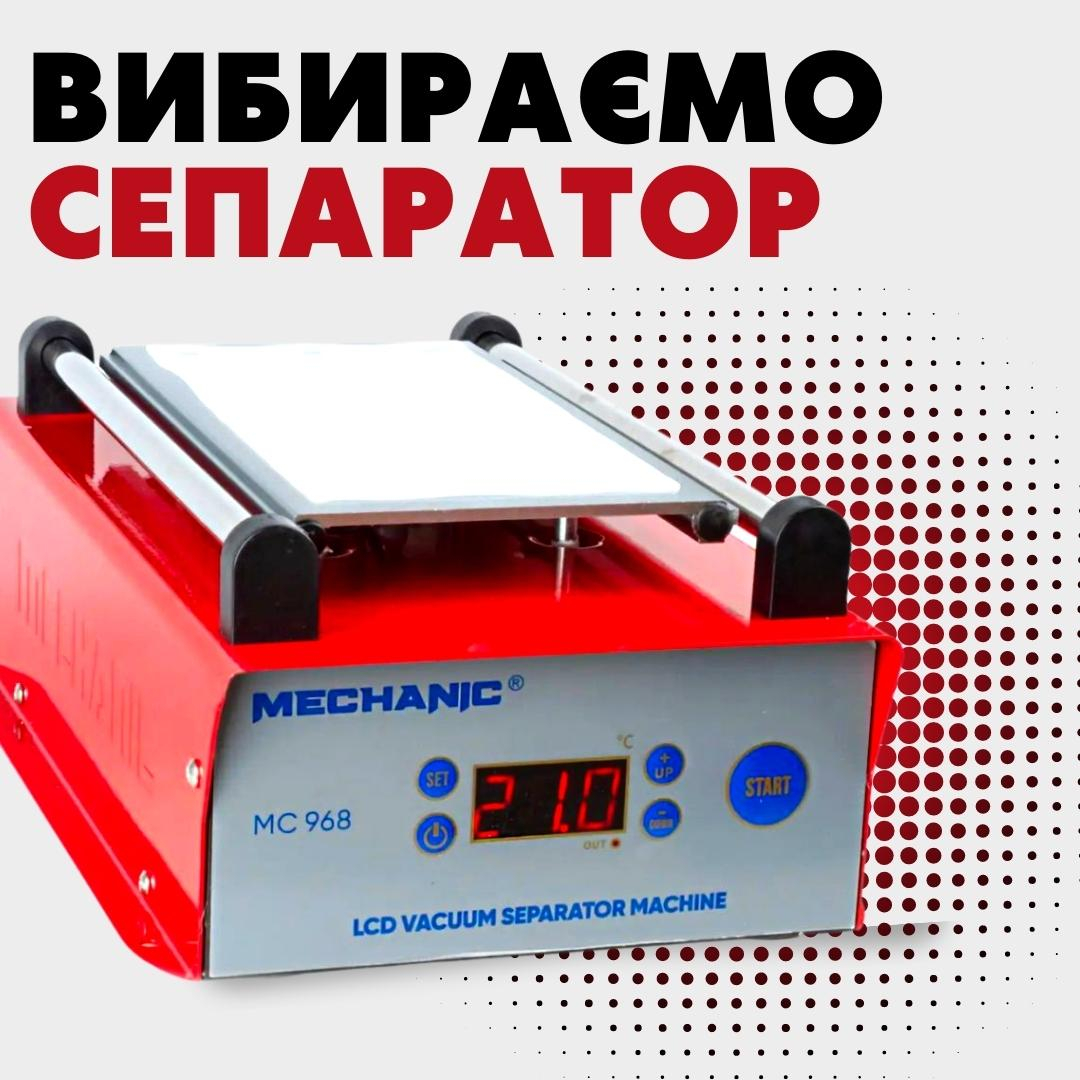
An LCD separator machine is a heated plate that softens the adhesive inside a phone or tablet so the cover glass, display module or back cover can be removed. Most models also hold the part in place with vacuum suction. For phones, a compact plate of about 7 to 8.5 inches is usually enough, while tablets need a larger working area. When choosing one, plate size, how evenly it heats, how it holds the part and how accurately it controls temperature matter more than the maximum wattage on the box.
What a separator is used for
In a repair shop the heated plate is used to soften adhesive in a controlled way: to open a phone, remove a glued back cover or take out the display module. During glass refurbishment, the separator also holds the module still while the cracked cover glass is cut away with a thin wire.
These jobs are not equally difficult. Swapping a complete display module is a routine repair. Replacing only the cover glass is a different process that needs extra equipment, consumables and practice, and it carries a real risk of damaging the panel or polariser. If you are deciding whether a cracked screen can be handled outside a workshop at all, see our article on when you can fix a phone screen yourself.
How a vacuum separator works
The heater warms an aluminium plate, and the part sits on a silicone mat or on the surface the manufacturer specifies. A built-in pump pulls air through small holes in the plate, which holds the module flat against the heat. You set the temperature on the controller, wait for the plate to reach it, and then separate the layers with a cutting wire, a thin pry tool or a suction cup, depending on the job.
The number on the controller is the reading at one sensor. It is not necessarily the temperature at every point on the plate. Before using a new machine on customer devices, check the surface with an independent thermometer and practise on a scrap part.
Vacuum plate, rotating separator or heating mat
| Type | Typical use | Advantage | What to check |
|---|
| Vacuum separator | Holding a flat module, separating cover glass | The part stays put without constant hand pressure | Vacuum strength, condition of the mat, plate size |
| Rotating separator | Wire cutting from different angles | The working area turns to suit the cut | How firmly the rotating mechanism locks, stability of the base |
| Platform with clamps | Opening housings and frames within the model's intended use | Mechanical positioning of the part | Shape of the supports, risk of pressing on fragile areas |
| Heating mat | Warming back covers and large housings | Large flat area, the device simply lies on it | Even heating; no vacuum hold |
Choosing the plate size
Measure the largest part your shop works on. A plate rated at around 7 to 8.5 inches usually covers phones, but compare the usable area in millimetres: frames and protruding edges may not fit even when the quoted diagonal looks right. Tablets need a bigger plate or a dedicated model.
A plate that is too small forces you to heat part of the module unevenly, which makes both temperature control and vacuum hold harder. An oversized plate takes more bench space and offers nothing extra if you only repair phones.
Temperature, power and heat control
Higher wattage means the plate reaches temperature faster, but it says nothing about how evenly it heats. More useful criteria are how stable the set temperature stays, how clear the controller is, how well the part makes contact with the plate, and whether you can verify the surface with a thermometer. The phone separators in our catalogue list control ranges of roughly 50 to 130 °C.
There is no single temperature that is right for every display, back cover and adhesive. Use the service documentation for the device, the manual for the machine and the adhesive maker's guidance. Start on the cautious side, watch the part as it warms and never leave a heated machine unattended.
Separators and heating mats in our catalogue
The product cards below show the current price and availability. Before ordering, compare the working area, how the part is held, the supply voltage and what comes in the box.
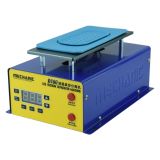 Separator Mechanic D100 (7" inches / 50-130°C / 150 W)35,15 $›
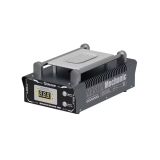 Separator Mechanic MC988 (10.5" / 50-130°C / 150W)43,69 $›
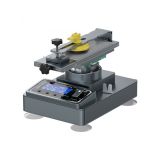 Mechanic Elite One+ Separator with 360° Rotation Mechanism (7" inches / 300W)160,69 $›
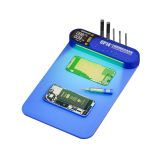 Heating mat (separator) Mechanic CP14+ with LED backlight (350mm*225mm / 150W / 50-120°C)out of stock›
Safe setup before you start
- Inspect the power cable, housing, heating surface, mat and ventilation openings.
- Compare the part with the usable plate area and make sure it lies flat and stable.
- Find the acceptable temperature in the documentation for the device, the machine and the adhesive.
- Set the temperature and wait for it to stabilise. On a new machine, check the surface with a separate thermometer.
- If you use vacuum, make sure the part is held evenly and the suction holes are covered correctly.
- Separate the layers without forcing them, keeping track of flex cables, the panel and the direction of the tool.
- When you finish, switch off the heater and pump, let the plate cool and clean it as the manual describes.
Common mistakes
- Copying a temperature from someone else's repair. The same setting can affect a different panel, adhesive or housing in a different way.
- Trusting the display as the plate temperature. The controller shows one sensor reading, so a new machine needs checking.
- Putting a shattered module down without preparing it. Loose glass needs to be stabilised according to your workshop process, and you need eye and hand protection.
- Running the wire towards the flex cables. Know where they are before cutting and control how deep the tool goes.
- Assuming vacuum always holds. A dirty or damaged mat, an uneven part or uncovered holes weaken the grip.
Before you fit a replacement module, check what you are actually installing: our guide to phone screen quality grades explains the difference between original, OLED and In-Cell parts. Eye and hand protection, ventilation and safe equipment shutdown are covered in our workshop safety rules.
Checklist before buying
- Write down the largest phones or tablets you repair.
- Decide how the part should be held: vacuum, clamps, a rotating platform or a plain heated surface.
- Compare usable area in millimetres, the controller range and the power requirements.
- Check what is in the box: mat, cable, cutting wire and extra holders vary between models.
- Look at how stable the housing is, how easy the controls are to reach and where the plate can cool safely.
- Read the manual and practise on a part that does not belong to a customer.
Summary
Choose a separator by the size of the parts you repair and the process you actually use. Glass refurbishment calls for vacuum hold, even heating and room to guide the cutting wire; for warming back covers, a heated plate or heating mat may be enough. Check the real plate temperature, follow the documentation and practise on scrap parts first.

 UA
 RO




The information below is required for social login
Sign In
Create New Account