Useful information
TOP 5 most common problems with the smartphone screen — a practical article with explanations and recommendations for technicians, service centers, and users. It highlights the main points to consider when choosing, using, or repairing devices.
A cracked panel, a dark blotch, coloured lines, flicker or a touchscreen that ignores your finger can each have more than one cause. Start by noting exactly what you see, take a screenshot, restart the phone and remove any case or screen protector that presses on the display. If the problem began after a drop, contact with liquid or a bent frame, or if a black spot is spreading, the phone needs a hardware diagnosis.
1. Cracks after a drop
When the picture is clean and touch works across the whole screen, the damage may be limited to the outer glass. How much has to be replaced still depends on how the module is built: on many modern phones the glass, touch layer and panel are bonded together, so a technician has to inspect the panel, frame and flex cables before quoting a repair. Coloured lines, black areas or no picture at all point to damage deeper than the glass.
2. Touch does not respond or registers phantom taps
Clean and dry the screen, unplug the charger, take off the screen protector and restart the phone. If phantom touches appear only while the phone is charging, try a different outlet, cable or charger. A dead zone that stays in the same place after an impact usually needs the touch layer, the display connector and the board checked.
3. Blotches and lines
A black or ink-like spot that grows after a knock or pressure is a reason to have the panel examined. Vertical or horizontal lines can come from the display module, its flex cable or connector, the board or a software fault. A screenshot is only a clue: if the defect shows up in the screenshot when you view it on another device, look at software or image processing first; if the screenshot is clean, the display assembly is the more likely suspect. A proper diagnosis is still needed before ordering a part.
4. Flickering or unstable brightness
Restart the phone, install pending system updates and, if your phone offers it, boot into safe mode to see whether an app is involved. Google, for example, suggests a system update as the first step for flicker or lines on Pixel phones and a repair if that does not help. Flicker that started after a drop, a repair or when you squeeze the case needs the flex cable and connector checked. Do not press on the screen to try to "restore the contact".
5. Black screen while the phone still works
If you hear sounds, feel vibration or get notifications, the fault may be in the display, the backlight (on LCD screens), the flex cable or the module's power supply. Charge the phone with a known-good charger and cable, then do the forced restart described by the manufacturer for your model. If the picture still does not come back, take the phone in for diagnosis.
Quick symptom check
| Symptom | Safe check at home | When to stop |
|---|
| Touch does not work | Clean, dry, remove the protector, restart | There is a crack, swelling or trace of liquid |
| Blotch or line | Take a screenshot and view it on another device | The defect grows or the picture disappears |
| Flicker | Check settings, updates and safe mode | It changes when you press the case or appeared after a drop |
| Black screen | Charge it and do the official forced restart | The phone is hot, bent or wet |
If the phone has no visible damage and you want to know which checks are safe to try yourself, our guide on when you can fix a phone screen problem yourself walks through them step by step.
Examples of replacement display modules
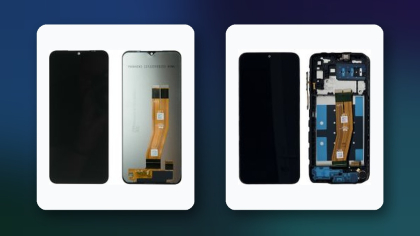
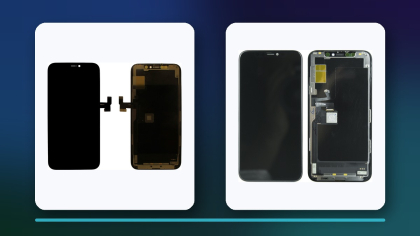
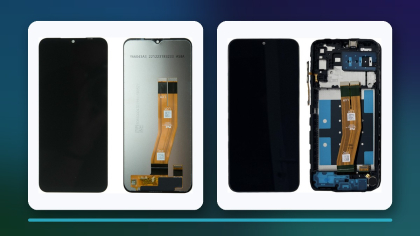
Choose a replacement by the exact model, revision, panel technology, frame and connector. A marketing name alone is often not enough, so compare the model number before you order. These parts show different panel types and brands; they are not interchangeable.
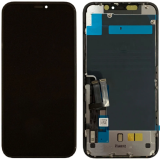 Display iPhone 11 Black H/C INCELL16,07 $›
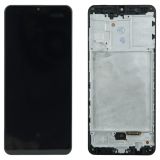 Display Samsung Galaxy A31 SM-A315 with frame Black (Original AMOLED)70,26 $›
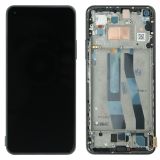 Display Xiaomi Mi 11 Lite / Mi 11 Lite 5G complete with frame Black (Original AMOLED)44,55 $›
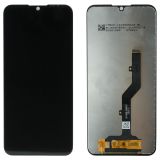 Display ZTE Blade A5 2020 / A7 2020 / A7 2019 / A51 Lite (SKI608 V01) complete Black12,06 $›
The differences between service pack, refurbished and aftermarket modules are covered in our explainer on phone screen quality grades. Before you place an order, run through the checklist in how to choose smartphone repair parts to confirm compatibility and test the part before final assembly.

 UA
 RO





The information below is required for social login
Sign In
Create New Account